COINBOLTX GUIDE · Start here
How to use CoinBoltX
Get to know CoinBoltX: discover markets, fund the correct wallet, review a trade, and find your positions and history.
CoinBoltX product guide · Updated November 1, 2026
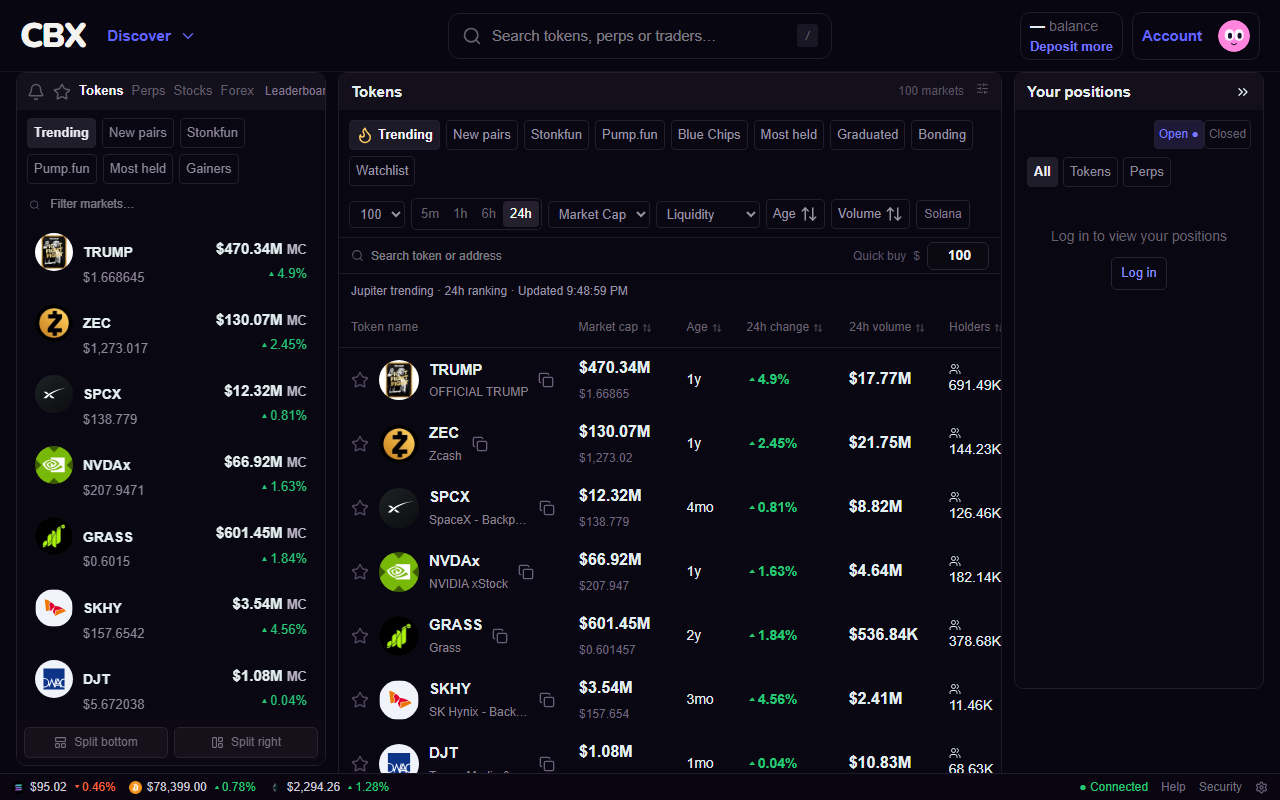
One place to explore your markets
CoinBoltX (CBX) brings Solana token discovery and swaps together with perpetual market charts, stock and ETF perpetuals, currency and commodity markets, and Smart Money Bot. Browse public prices before signing in. Available markets and executable routes can change.
Use Discover to move between sections. Search by token name or contract address, and verify the asset before trading: different tokens can share a ticker.
From account to first quote
A quote is an estimate for a specific trade. A price in a market list is a reference price, not a promise of the price you will receive.
- Create an account or sign in, then review your account security settings.
- Open Wallet or Deposit. Select the supported asset and network and use the address shown for that selection.
- For perpetuals, open Perps wallet and review the balance available for that market. Do not assume a spot balance is already available as perpetual collateral.
- Choose a market and enter an amount. Review the asset, direction, fees, slippage or execution tolerance, and any leverage before confirming.
- After submission, check the order status and position or transaction history. Avoid submitting again while the first request is still pending.
Where to find your trade
Spot holdings and perpetual positions represent different things. A token swap exchanges one asset for another. A perpetual position is a leveraged contract with collateral, unrealized profit or loss, and possible liquidation.
For Smart Money Bot, the Positions and Closed trades tabs help you review activity. Opening its page does not start the bot; you choose the settings and press Start yourself.